Feature tour · 29 features

Plan, track and ship work —
all in one place.

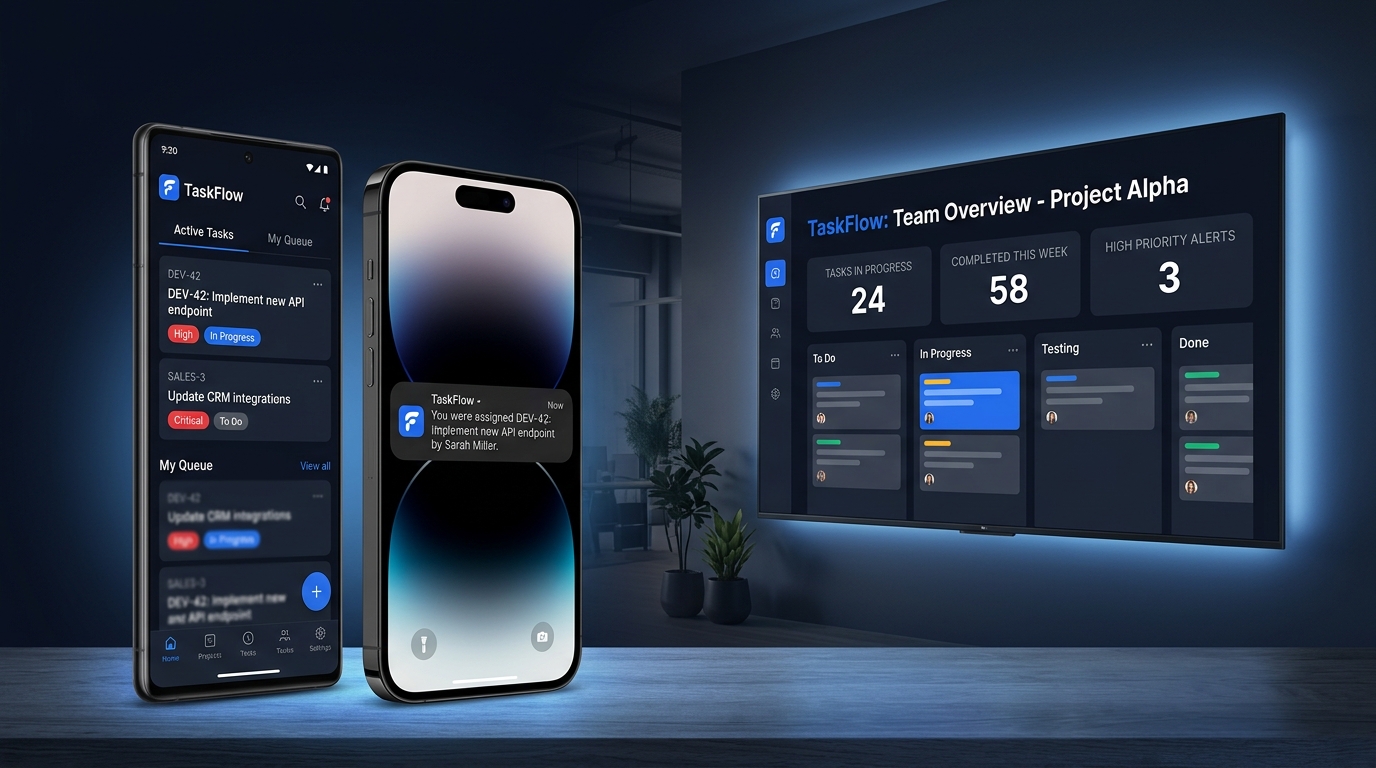
TaskFlow brings projects, tickets, sprints, roadmaps, chat, time tracking and granular permissions together in a single, fast workspace — on desktop, mobile and even the office TV.

Features
0
Categories
0
Issue types
0
Max upload
0 GB
taskflow / dashboard
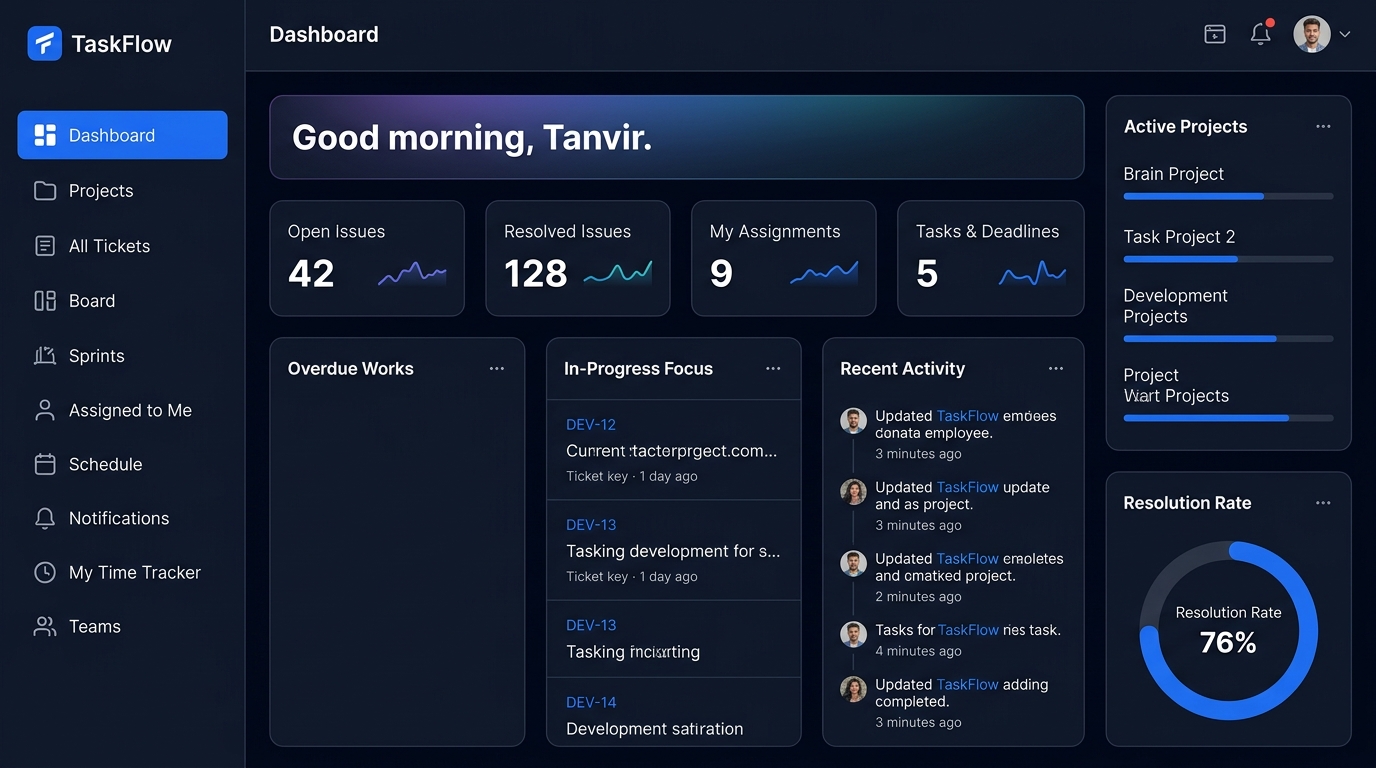
TaskFlow dashboard with KPI cards, overdue works, recent activity and resolution rate
You were assigned DEV-42
6 teammates online
Resolution rate 76%
Spotlight

A closer look at the essentials

Personal Dashboard screen in TaskFlow
Productivity & Insight

Personal Dashboard

Everything that needs your attention, on one screen.

The dashboard opens with a greeting banner and KPI cards for open issues, resolved issues, your assignments and upcoming deadlines.

  • KPI cards: open, resolved, assigned, deadlines
  • Overdue Works and In-Progress Focus
  • Team Handovers and Recent Activity
  • Active projects with progress
Learn more about Personal Dashboard
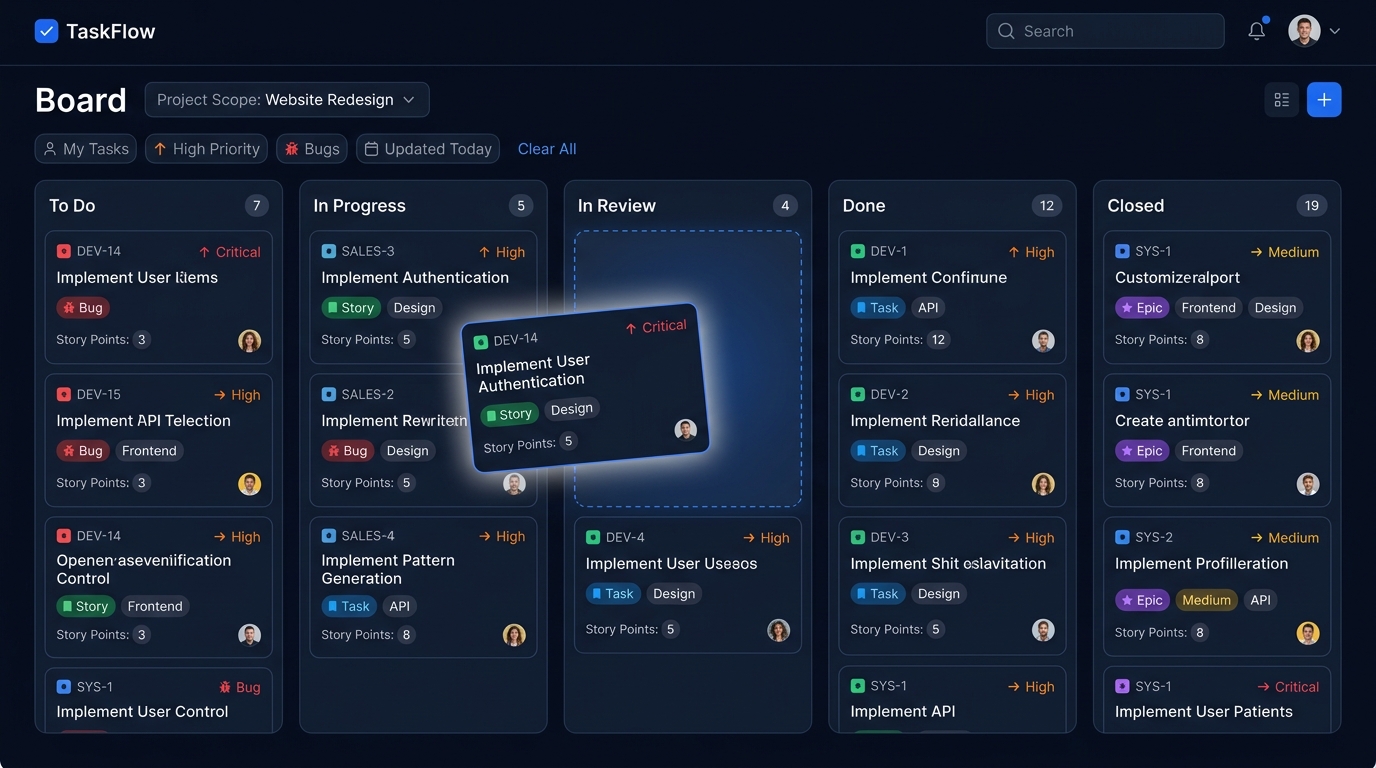
Kanban Board screen in TaskFlow
Planning & Tracking

Kanban Board

Drag tickets across the workflow and watch progress happen.

The board lays out every status as a column. Cards show the ticket key, title, type, priority, tags, story points and assignees at a glance.

  • Native drag-and-drop between status columns
  • Per-column counts
  • Scope by project or "my tickets"
  • Rich cards with type, priority and assignees
Learn more about Kanban Board
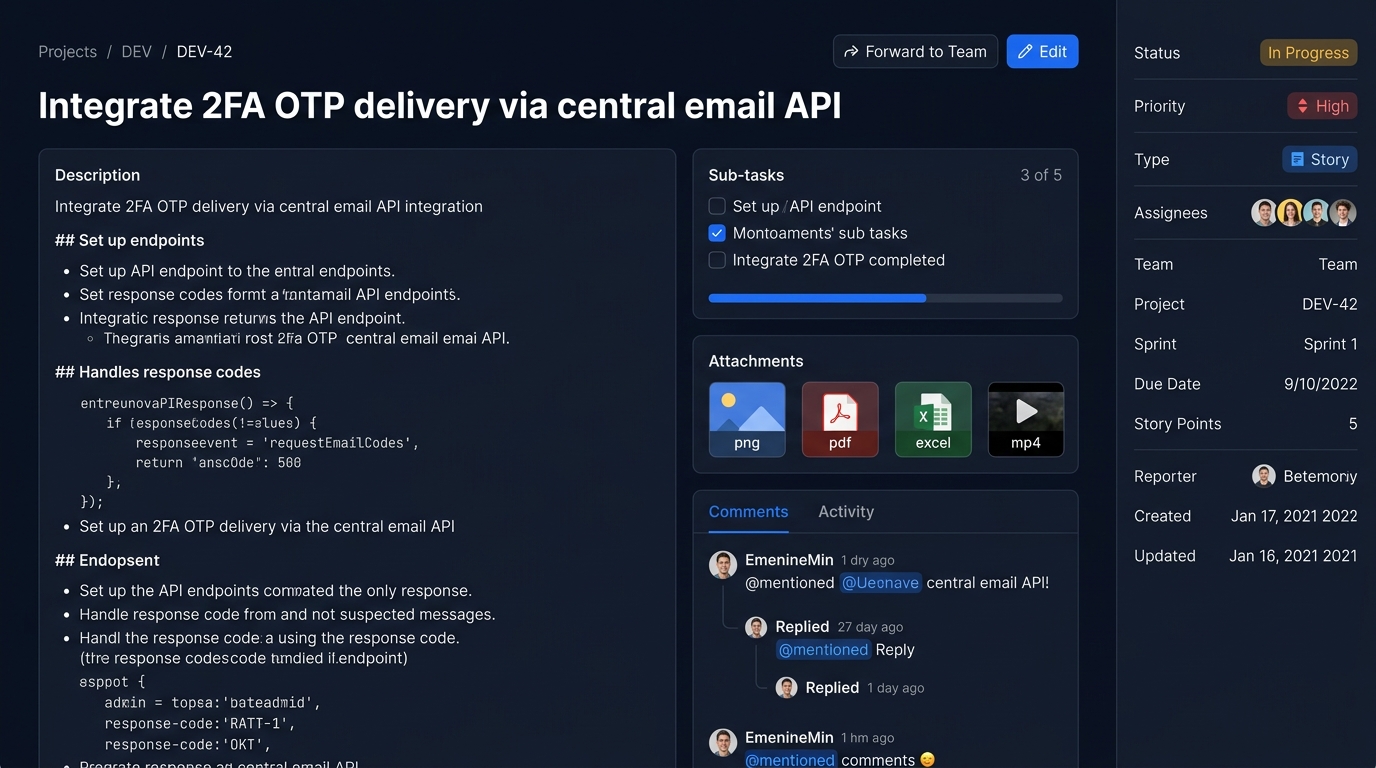
Tickets & Issue Types screen in TaskFlow
Planning & Tracking

Tickets & Issue Types

Stories, bugs, tasks, epics and sub-tasks with a clear workflow.

Tickets are the unit of work in TaskFlow. Each one carries a type, status, priority, project, reporter, optional sprint and team, a due date and story points — all visible in a clean property inspector beside the description.

  • Five types: Story, Bug, Task, Epic, Sub-task
  • Workflow: To Do → In Progress → In Review → Done → Closed
  • Priorities: Low, Medium, High, Critical
  • Multiple assignees per ticket
Learn more about Tickets & Issue Types
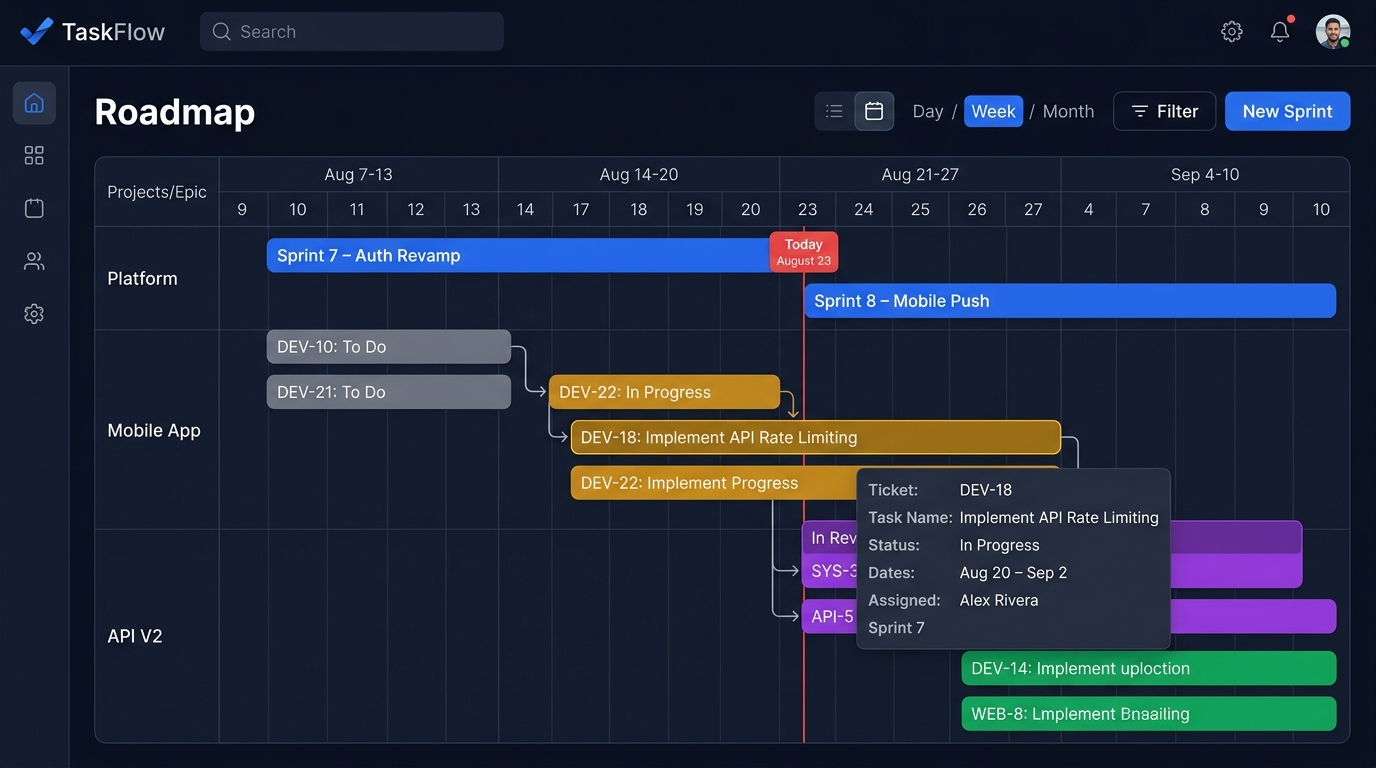
Roadmap (Gantt) screen in TaskFlow
Planning & Tracking

Roadmap (Gantt)

See sprints and tickets on an interactive timeline.

The roadmap renders sprints and their tickets as an interactive Gantt chart powered by Frappe Gantt. Sprint bars are highlighted in brand blue while ticket bars are colour-coded by status.

  • Interactive Frappe Gantt timeline
  • Sprint bars plus status-coloured ticket bars
  • Hover popups with task details
  • Five zoom levels, from quarter-day to month
Learn more about Roadmap (Gantt)
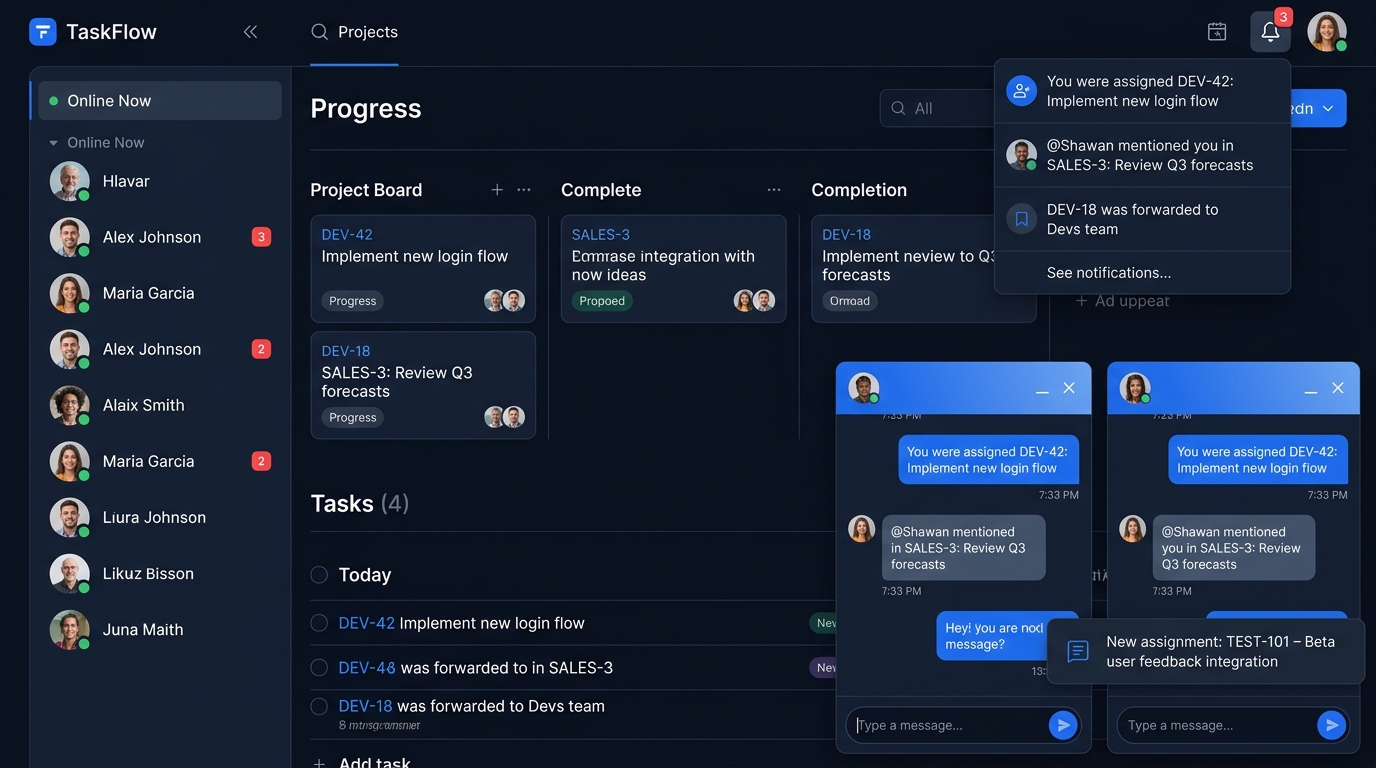
Real-time Team Chat screen in TaskFlow
Collaboration

Real-time Team Chat

Message any teammate without leaving your work.

Click an online teammate to open a floating chat window docked to the bottom of the screen. Several conversations can be open at once and minimised when you need space.

  • Floating, minimisable chat windows
  • Multiple concurrent conversations
  • Unread badges in the sidebar
  • Message history and read tracking
Learn more about Real-time Team Chat
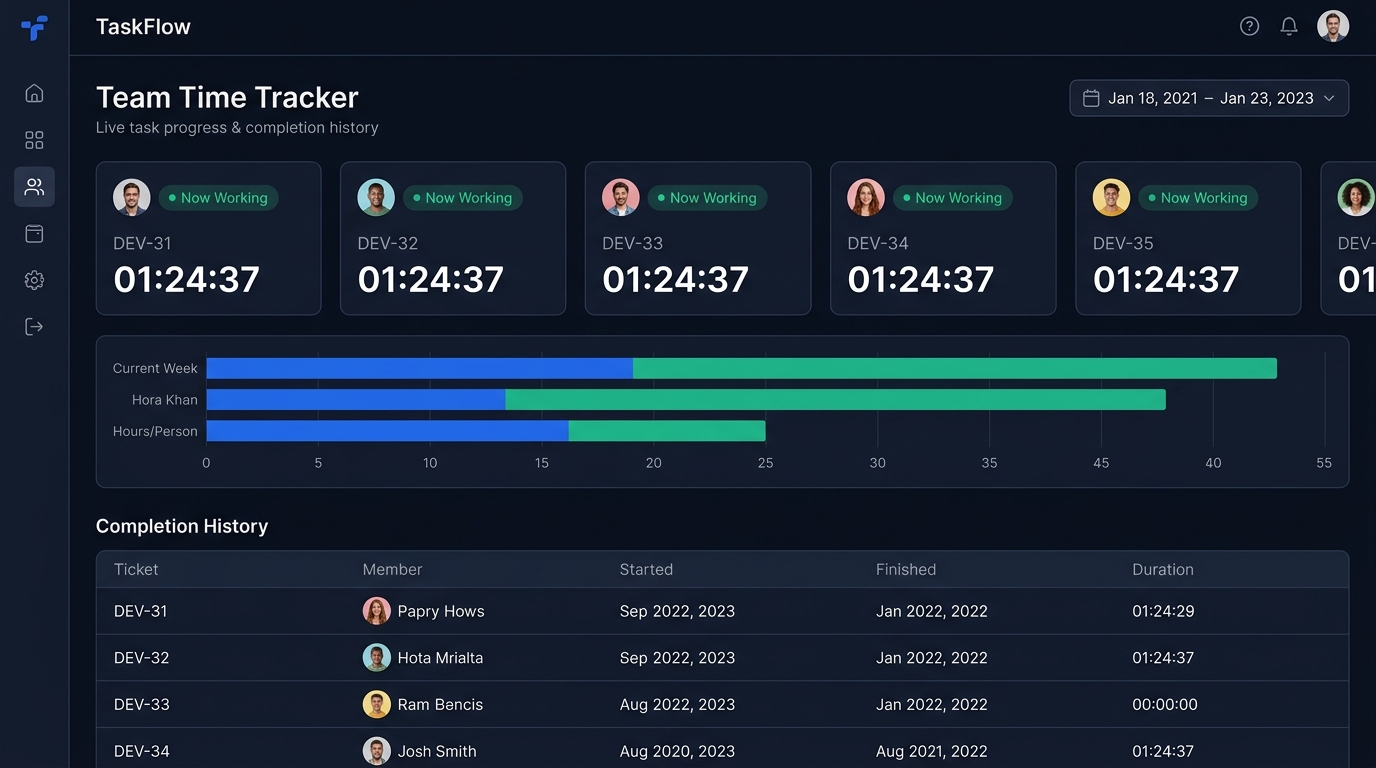
Time Trackers screen in TaskFlow
Productivity & Insight

Time Trackers

Live progress and completion history for you and your team.

My Time Tracker shows your personal progress and completion history. Team Time Tracker gives leads a live view of what everyone is working on right now.

  • Personal time tracker
  • Team-wide live tracker
  • Completion history
  • "Now Working" sidebar panel
Learn more about Time Trackers
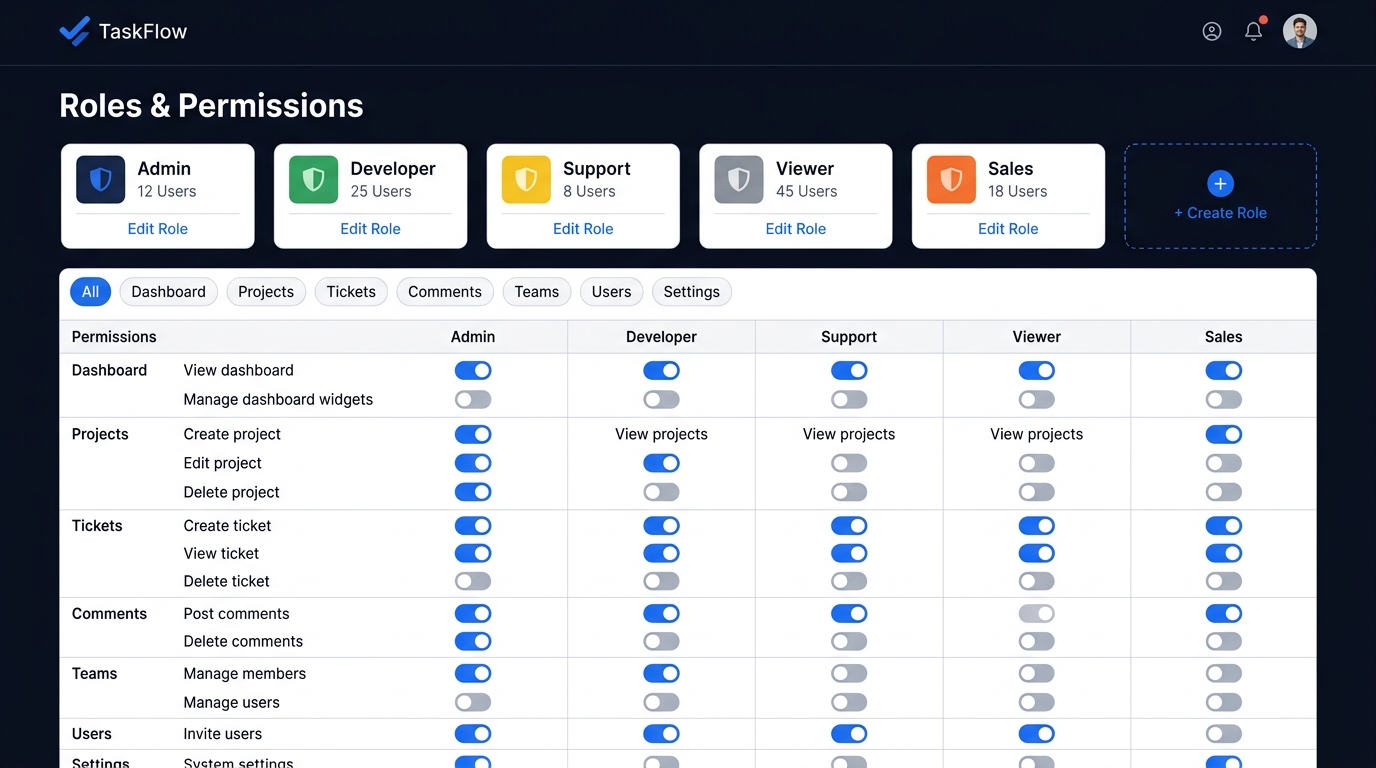
Roles & Permissions screen in TaskFlow
Teams & Administration

Roles & Permissions

Granular, toggle-based access control.

Out of the box TaskFlow ships Admin, Developer, Support, Viewer and Sales roles — and you can create your own.

  • Built-in and custom roles
  • Instant AJAX permission toggles
  • Category filter toolbar
  • Permission-gated delete of tickets and projects
Learn more about Roles & Permissions
Ticket lifecycle

A workflow everyone understands

Every ticket moves through five clear stages — on the board, in lists, on the roadmap and in the mobile app.

  1. 1

    To Do

    Captured and prioritised in the backlog.

  2. 2

    In Progress

    Someone is actively working on it.

  3. 3

    In Review

    Waiting on review or verification.

  4. 4

    Done

    Work is complete and accepted.

  5. 5

    Closed

    Archived — nothing left to do.

Ready to explore every feature?

Browse the full catalogue — searchable, filterable and linked to the code that powers it.

Browse all 29 features