Everything TaskFlow can do
29 features across 5 categories. Search or filter to find what you need.
Planning & Tracking
Projects, tickets, sprints and roadmaps — the backbone of how work is organised.
Projects
Organise every stream of work under its own key.
- Unique project keys used for ticket numbering
- Manage project members from a dedicated modal
- Assign whole teams to a project
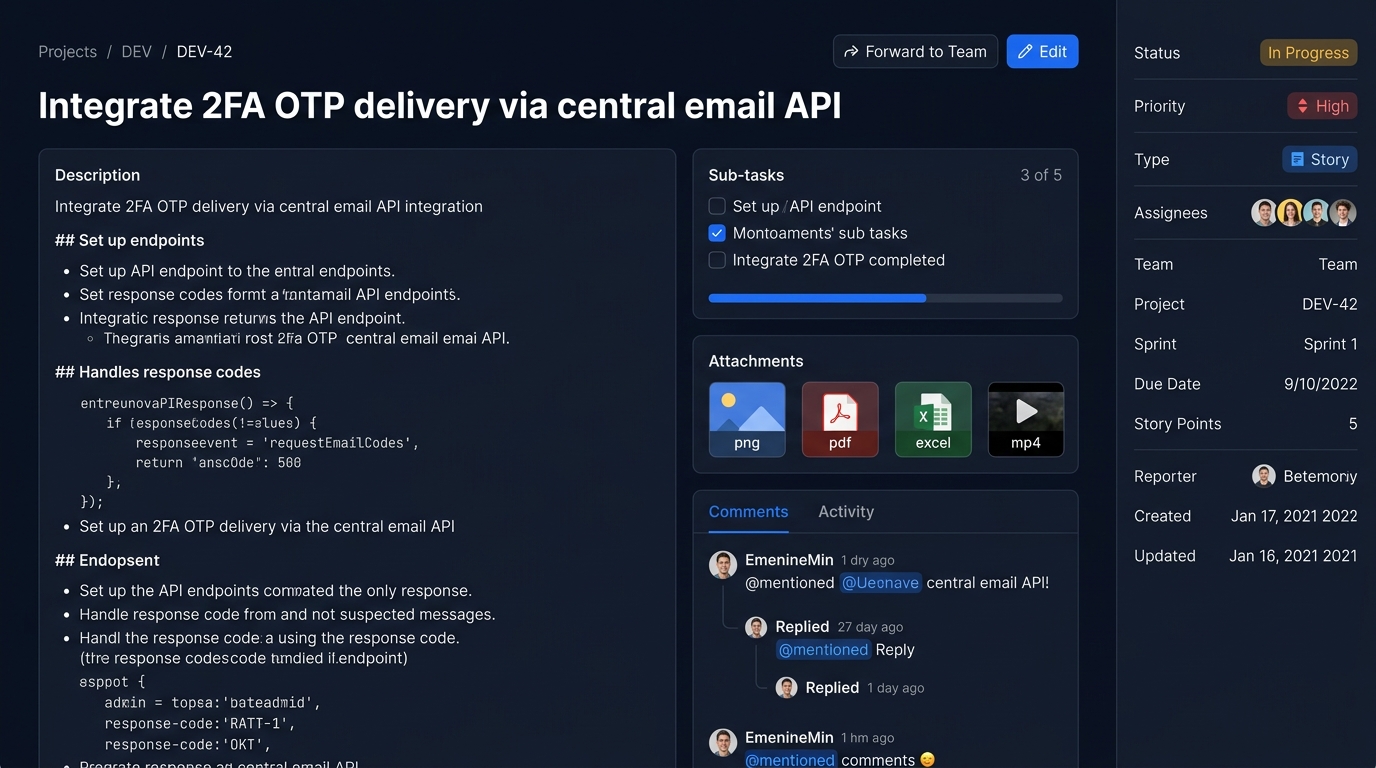
Tickets & Issue Types
Stories, bugs, tasks, epics and sub-tasks with a clear workflow.
- Five types: Story, Bug, Task, Epic, Sub-task
- Workflow: To Do → In Progress → In Review → Done → Closed
- Priorities: Low, Medium, High, Critical
Sub-tasks
Break big tickets into small, trackable steps.
- Parent/child hierarchy between tickets
- Sub-task progress visible on the parent
- Safe deletes: children are detached, not lost
Tags & Tag Manager
Flexible labels, scoped safely to your organisation.
- Attach many tags to a single ticket
- Inline Tag Manager inside the ticket form
- Organisation-scoped, unique per organisation
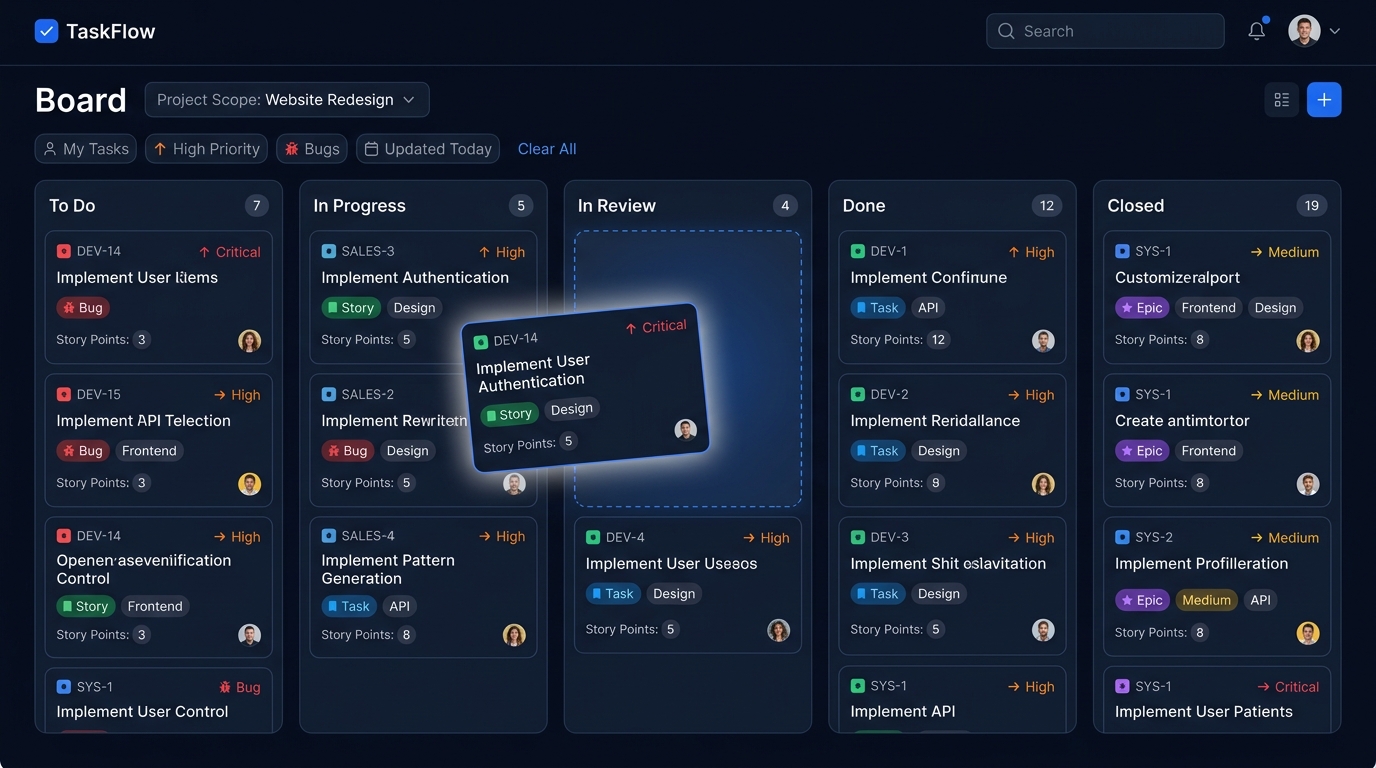
Kanban Board
Drag tickets across the workflow and watch progress happen.
- Native drag-and-drop between status columns
- Per-column counts
- Scope by project or "my tickets"
Sprints
Time-boxed iterations with clear goals.
- Sprint name, goal, start and end dates
- Assign tickets to a sprint
- Sprints appear on the Gantt roadmap
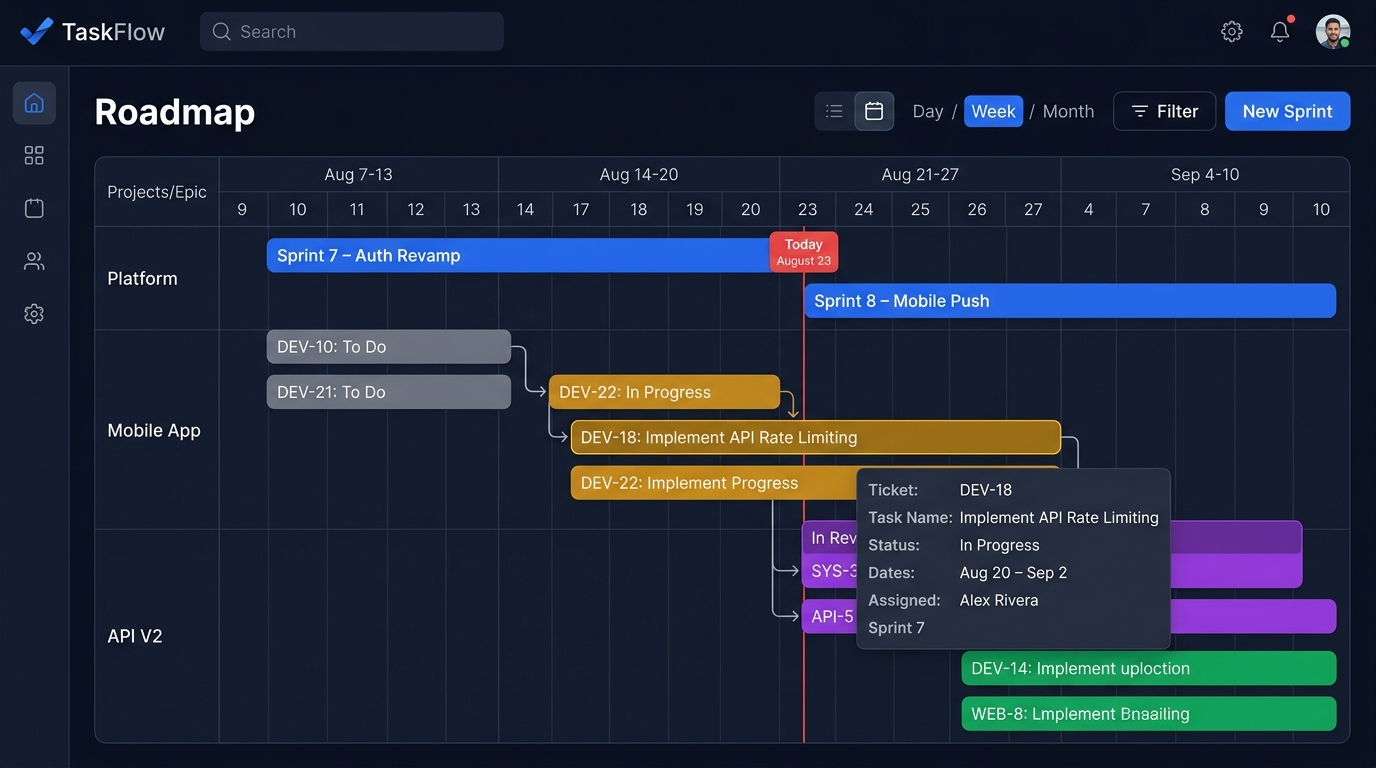
Roadmap (Gantt)
See sprints and tickets on an interactive timeline.
- Interactive Frappe Gantt timeline
- Sprint bars plus status-coloured ticket bars
- Hover popups with task details
Smart Ticket Lists & Filters
Find exactly the tickets you need, fast.
- Filter by project, status, priority and type
- Created-from / created-to date range
- Free-text search
Collaboration
Comments, mentions, chat, presence and handovers that keep everyone in sync.
Comments & @Mentions
Discuss work right where it lives.
- Markdown-rendered comments
- Live @mention user search
- Mentions trigger notifications
Attachments & Media Viewer
Upload anything and preview it without leaving the ticket.
- Any file type, up to 1 GB per upload
- Inline image, PDF, video and audio preview
- Viewer cards for Office and PSD files
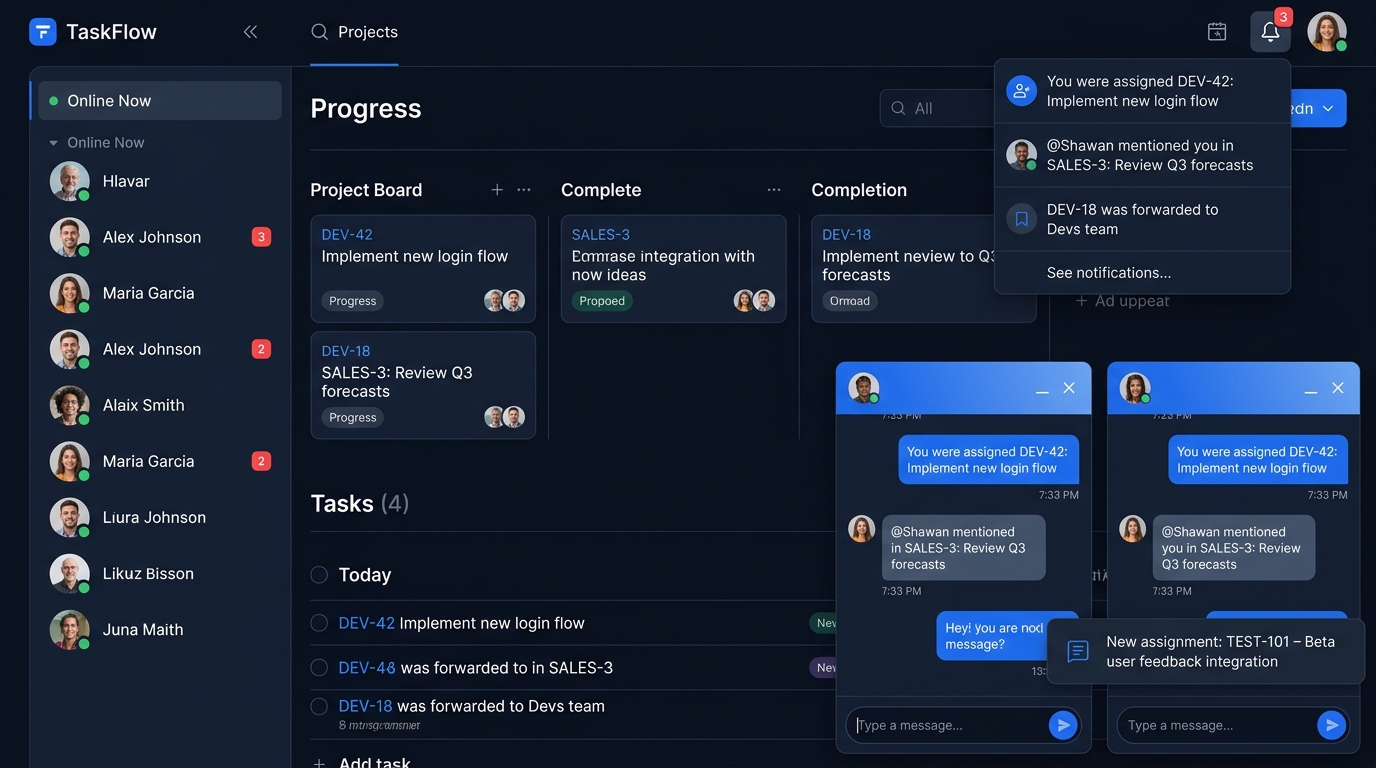
Real-time Team Chat
Message any teammate without leaving your work.
- Floating, minimisable chat windows
- Multiple concurrent conversations
- Unread badges in the sidebar
Online Presence
Know who is around — and what they are looking at.
- Live "online now" list in the sidebar
- Current-page tracking per user
- Organisation-scoped presence
Smart Notifications
In-app, desktop and sound alerts the moment something changes.
- Unread badge and quick dropdown
- In-page toast cards
- Native desktop notifications
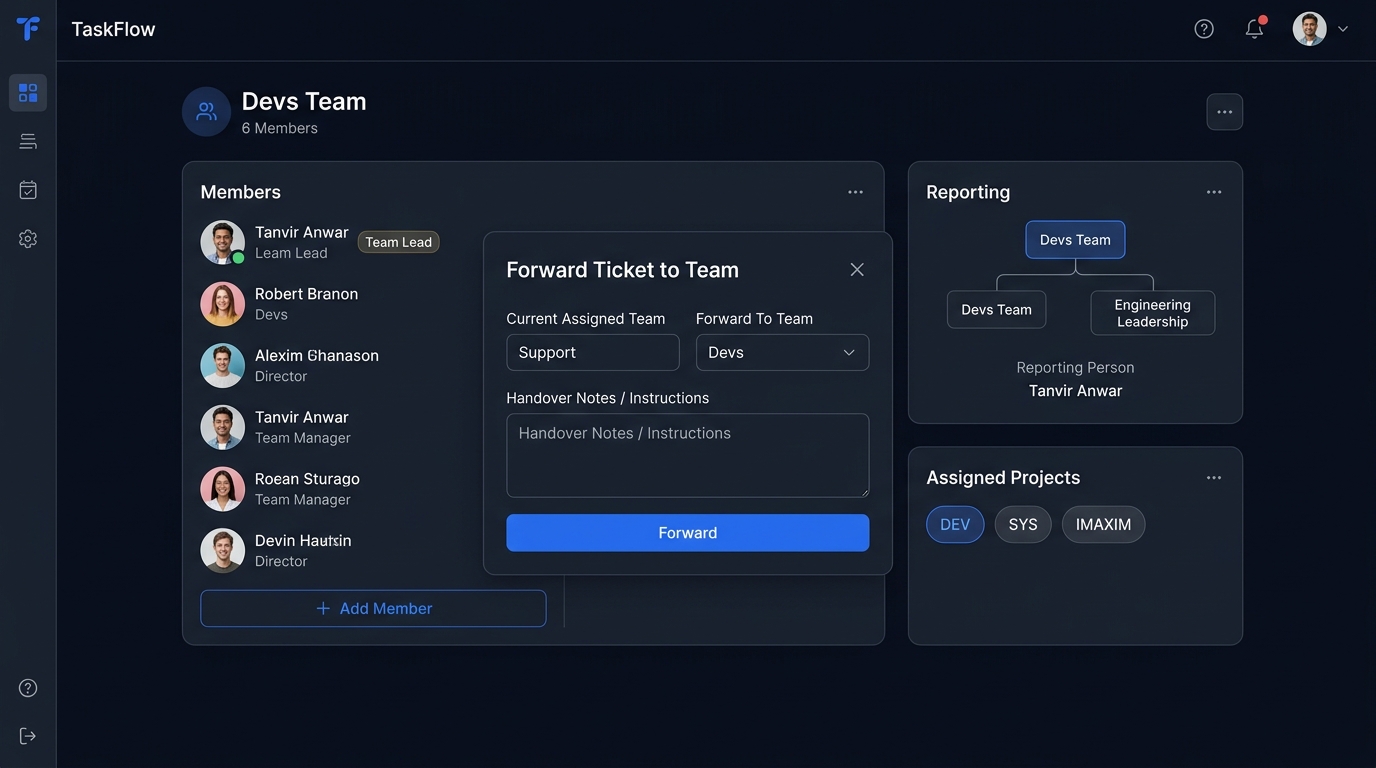
Team Handover & Forwarding
Pass work between teams with notes and a full audit trail.
- Forward a ticket to any team
- Handover notes / instructions
- Complete forward history
Productivity & Insight
Dashboards, schedules, time tracking and audit trails for focus and visibility.
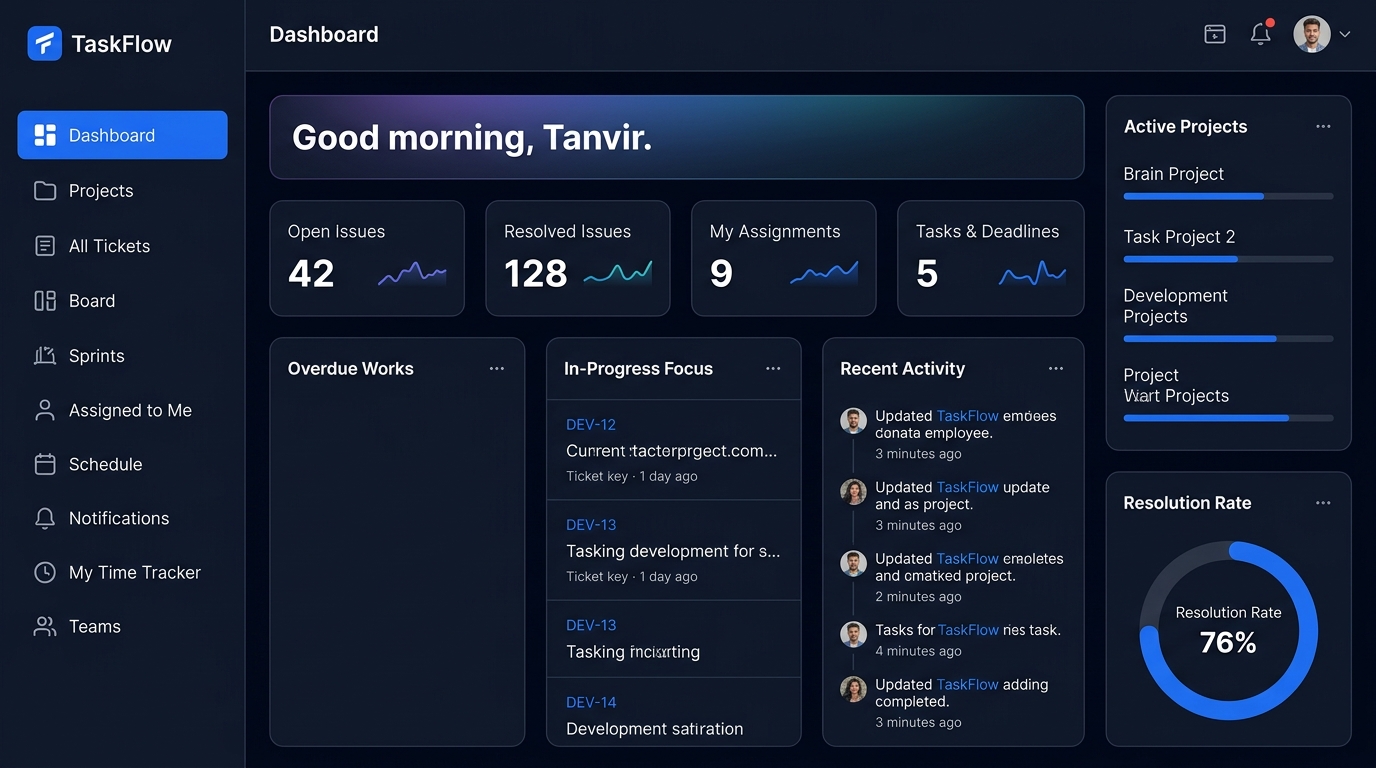
Personal Dashboard
Everything that needs your attention, on one screen.
- KPI cards: open, resolved, assigned, deadlines
- Overdue Works and In-Progress Focus
- Team Handovers and Recent Activity
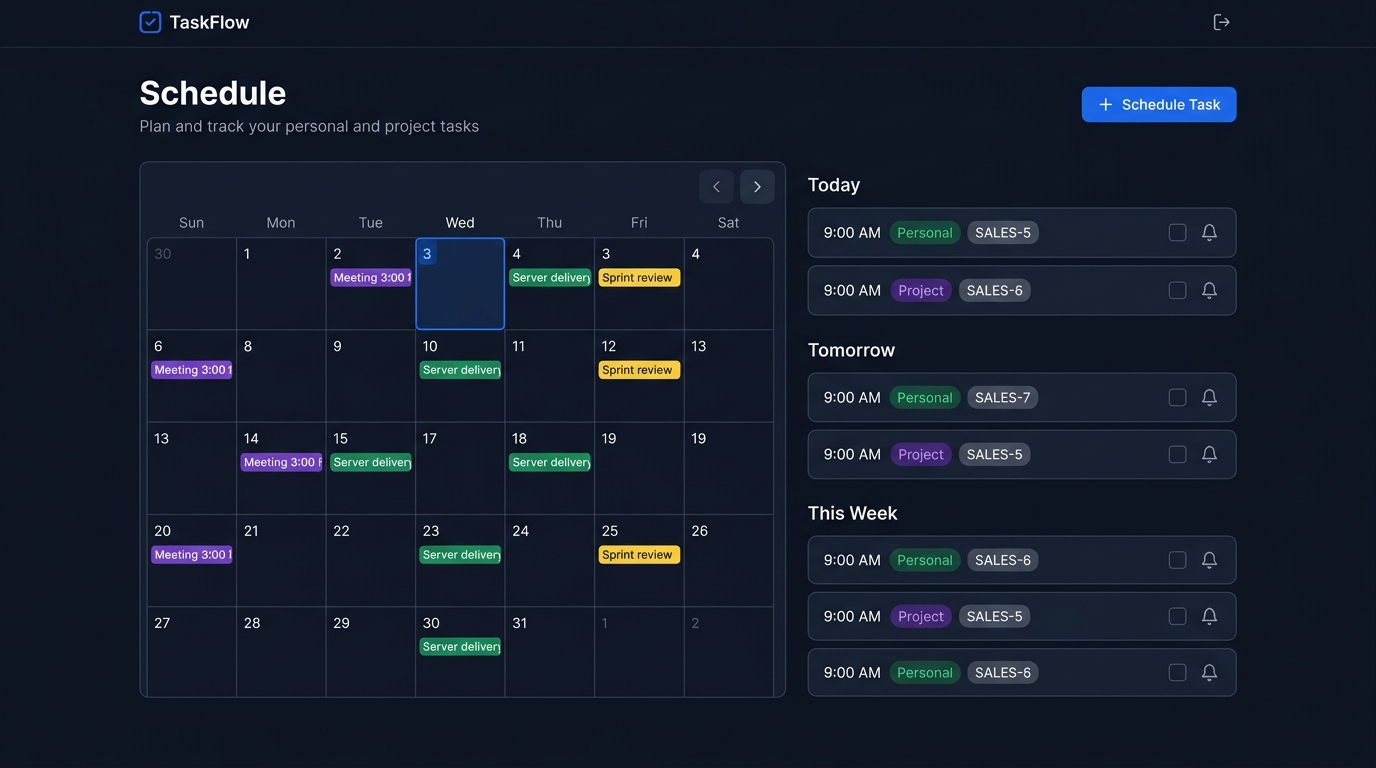
Schedule & Reminders
Plan personal and project tasks — and get reminded.
- Date and optional time
- Personal or project context
- Link a schedule item to a ticket
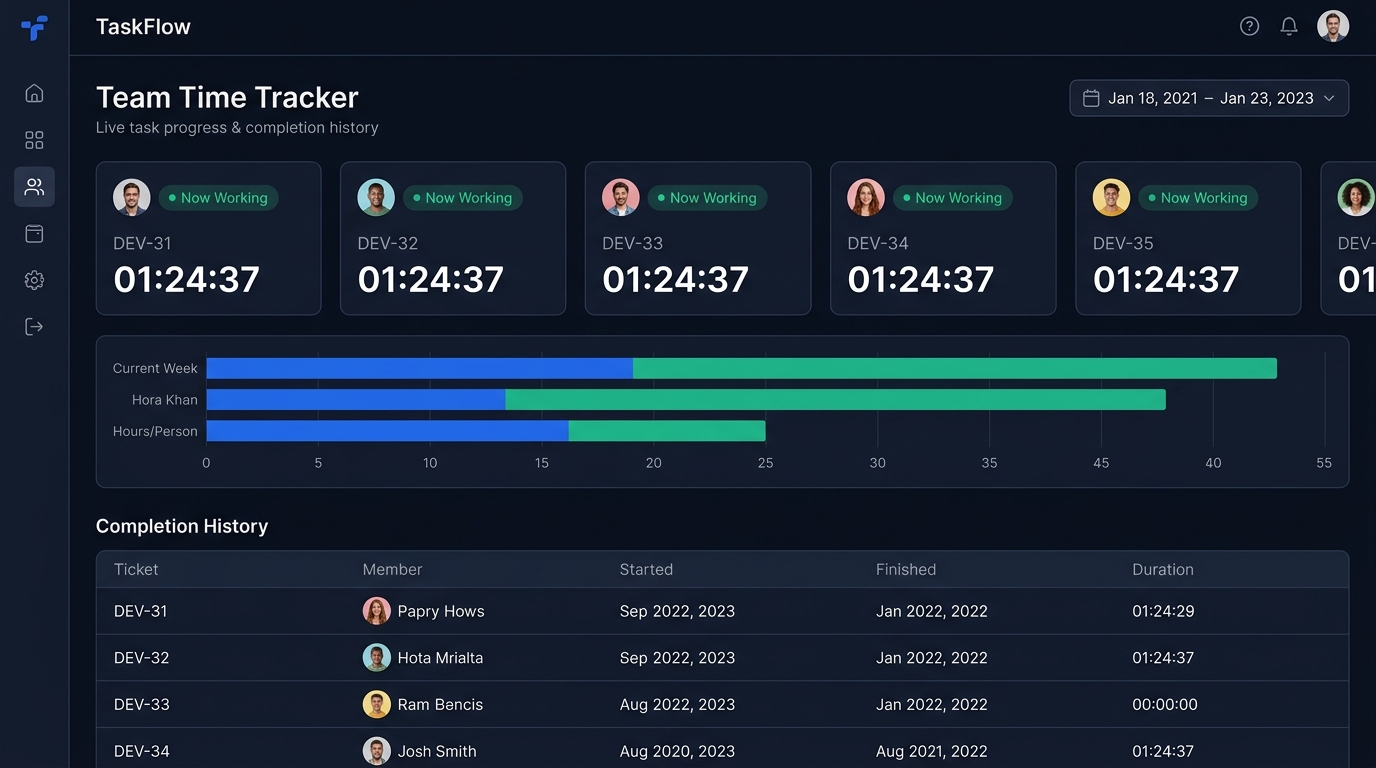
Time Trackers
Live progress and completion history for you and your team.
- Personal time tracker
- Team-wide live tracker
- Completion history
Activity Log
A complete audit trail of what happened, when, and by whom.
- Organisation-wide activity feed
- Per-ticket activity timeline
- Powers dashboard Recent Activity
Teams & Administration
Teams, users, invitations, granular roles and organisation-wide settings.
Teams & Reporting Lines
Model how your organisation really works.
- Create, edit and delete teams
- Add and remove team members
- Assign teams to projects
User Directory & Invitations
Onboard people with secure, expiring invite links.
- Create, edit and deactivate users
- Admin password reset
- Invite links with role and team
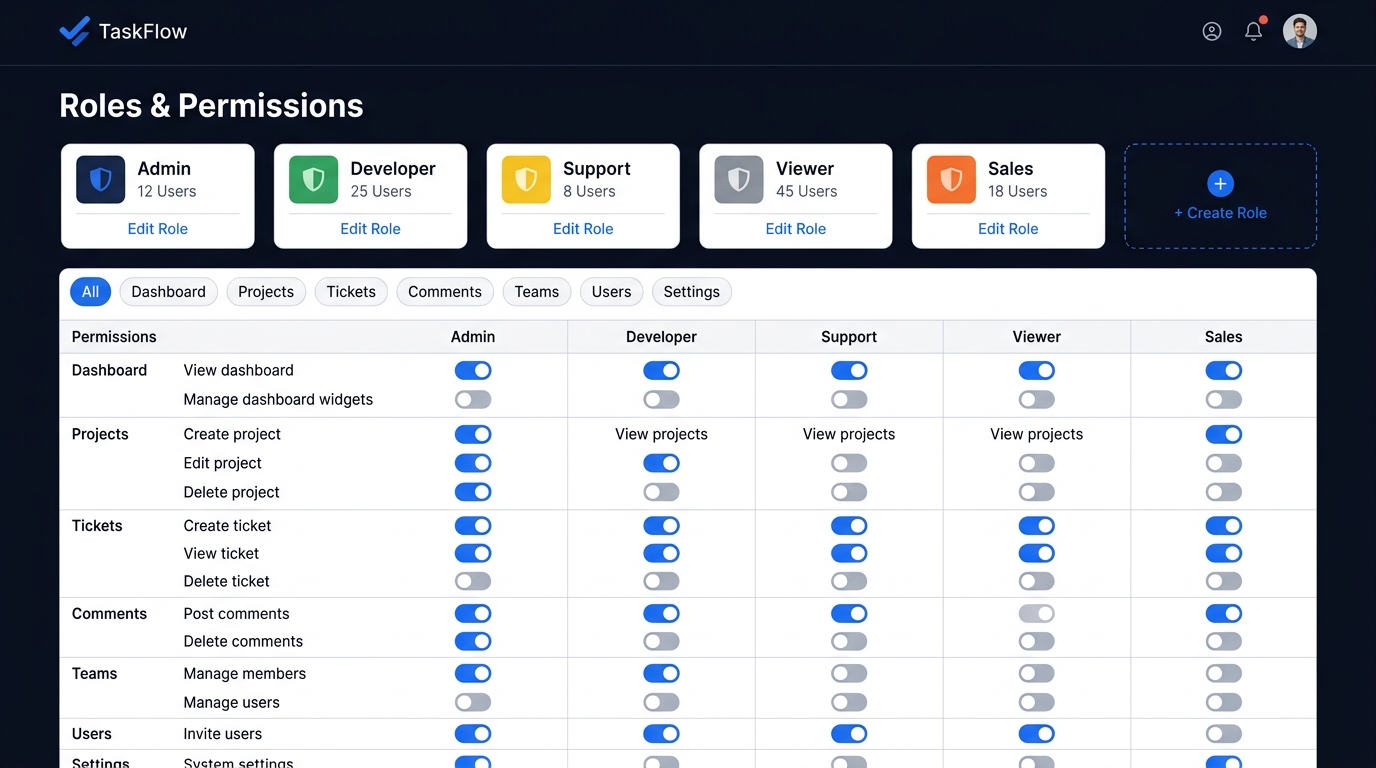
Roles & Permissions
Granular, toggle-based access control.
- Built-in and custom roles
- Instant AJAX permission toggles
- Category filter toolbar
View as User Mode
Admins can preview TaskFlow exactly as a regular user sees it.
- One-click switch from the profile menu
- Admin-only capabilities hidden while active
- Persistent exit banner
App Settings & Versioning
Organisation-level configuration, including the UI version.
- Per-organisation key/value settings
- Switch between v1 and v2 interfaces
- Admin-only management screen
Multi-tenant Organisations
Many organisations, one installation, zero data leakage.
- Organisation ID on core tables
- Organisation-scoped tags and settings
- Per-organisation presence lists
Platform & Experience
Themes, TV wallboards, a mobile API with push, and secure sessions.
Dark & Light Themes
A carefully tuned dark mode — with no flash on load.
- Full light and dark styling
- Remembers your choice
- Respects OS colour-scheme preference
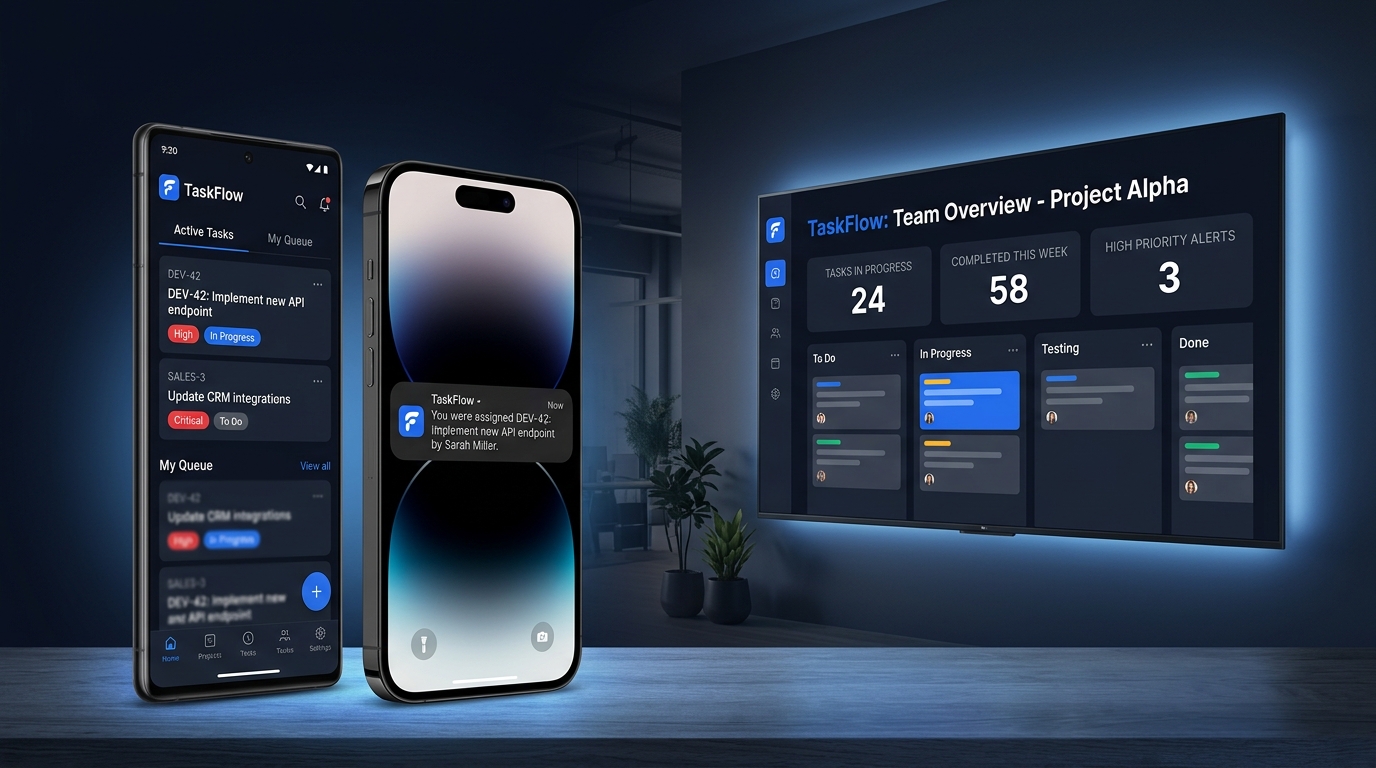
TV / Wallboard Mode
Put your board on the office TV.
- Automatic smart-TV detection
- Manual TV mode toggle
- Large-screen layout
Mobile API & Push
A JSON API for the mobile app, with push notifications.
- JSON login, dashboard, tickets and tags
- Ticket detail endpoint
- FCM device-token registration
Secure Sessions
Session-validated requests with optional "remember me".
- Session ID validated on every request
- 60-minute idle timeout
- 30-day remember-me cookie
Responsive & Unicode-ready
Works on any screen, in any language.
- Collapsible mobile sidebar
- Responsive layouts on every page
- Full utf8mb4 support
No features match your search
Try a different keyword or clear the filters.